 Souva
Full disclosure: Souva makes NoMercy and TYST, which this guide mentions near the end. The free iPhone settings come first, because they work without any app.
How to stop doomscrolling, in short: add friction before the feed and remove the cues that pull you in. Turn off news and social notifications, set a Screen Time Schedule for the evening, switch to grayscale, and keep your phone out of bed. If willpower runs out, use an app lock that keeps feeds closed until you've done something better.
What is doomscrolling?
Doomscrolling is scrolling through bad or upsetting news and posts, often long after it stops being useful. You open the phone to check one thing, and 40 minutes later you're still reading about a crisis you can't change. The word took off in 2020 and is now in the Merriam-Webster dictionary.
It isn't only news. Endless video and social feeds work the same way: there's always one more post, and no natural place to stop. That's why the fixes below focus on putting stops back in.
Is doomscrolling bad for you? What the research says
The research is young, but it points one way. Here is what the better studies found, and what they didn't.
- A few minutes is enough to dent your mood. In a 2021 experiment in PLoS ONE, people who saw 2 to 4 minutes of COVID news on a Twitter feed or YouTube had lower positive mood right away. People who saw stories of kindness didn't.
- Heavy news habits go with feeling worse. A 2022 survey of 1,100 US adults in Health Communication found 16.5% had "severely problematic" news habits. Of that group, 61% said they felt physically unwell "quite a bit" or "very much", against 6.1% of everyone else. It's a one-time survey, so it can't show cause and effect.
- It's linked with anxiety. A 2024 study of 800 students in Iran and the US tied doomscrolling to more existential anxiety in both countries. Again, a link, not proof.
- Cutting back helps. In a 2018 trial, students who held Facebook, Instagram and Snapchat to 10 minutes each a day for three weeks felt less lonely and less depressed than a group that didn't.
Just 2 to 4 minutes of negative COVID news on social media lowered people's positive mood right away. Stories of kindness did not.
Buchanan et al., PLoS ONE, 2021Why is doomscrolling so hard to stop?
Three things keep you in the feed. First, there is no bottom: the page refills before you reach the end. Second, cues pull you back: a buzz, a badge, a bright red icon.
Third, the habit runs on autopilot. You unlock the phone and your thumb opens the app before you've decided anything.
So the fix is not to try harder. It's to change the setup: fewer cues, more friction and a clear stop.
Research on friction backs this up. In a 2023 PNAS study of the one sec app, a short pause before opening an app made people close it again in 36% of their attempts.
How to stop doomscrolling: 8 steps that work
The first five steps are free iPhone settings. The paths are for iOS 27, which renamed Downtime to Screen Time Schedule and App Limits to Time Allowances. On iOS 26 or earlier, look for Downtime and App Limits in the same place.
- See your real numbers. Go to Settings › Screen Time › Daily Average. Scroll down to Pickups and Notifications. Note which apps you pick up most and which send the most alerts. That's your list.
- Silence the apps on your list. Go to Settings › Notifications, tap each news or social app and turn off Allow Notifications. For apps you need, use Settings › Notifications › Scheduled Summary to get them in a batch. In a 2019 study, people who got notifications three times a day felt less stressed and more focused than people who got them as they came.
- Set a Screen Time Schedule for the evening. Go to Settings › Screen Time › Screen Time Schedule, turn on Schedule and tap Add Schedule. Create an evening window, for example 9:30 PM to 7:00 AM, and leave feed apps out of it. Add the people and apps you need under Settings › Screen Time › Always Allowed.
- Give feeds a daily budget. Go to Settings › Screen Time › Time Allowances and set a time for Social Media and Entertainment. Thirty minutes is a good start: it's roughly what the 2018 trial used. Then lock your settings with Settings › Screen Time › Passcode & Management › Lock Screen Time Settings, and ask someone else to pick the code.
- Turn the screen gray. Go to Settings › Accessibility › Display & Text Size › Color Filters, turn it on and choose Grayscale. Then set Settings › Accessibility › Accessibility Shortcut to Color Filters, so a triple-click of the side button switches it on and off. A 2020 study found grayscale cut about 38 minutes of phone use a day.
- Use a Focus for the times you scroll most. Go to Settings › Focus, pick Sleep or Personal, tap Apps to silence feed apps, and choose a Home Screen page without them. Tap Add Schedule so it turns on by itself.
- Move the phone, not just the apps. Charge it outside the bedroom and use a cheap alarm clock. Delete feed apps from the Home Screen so they live only in the App Library. Every extra step is a moment to change your mind.
- Plan what replaces the scroll. The urge doesn't vanish, so give it a place to go: a book on the pillow, a short walk after dinner, a set time to read the news once. A habit you finish is a better stop than a timer.
Doomscrolling checklist: what to set on your iPhone
| Problem | Fix | Where (iOS 27) | Cost |
|---|---|---|---|
| Alerts pull you in | Turn off or batch notifications | Settings › Notifications › Scheduled Summary | Free |
| Late-night scrolling | Evening schedule | Settings › Screen Time › Screen Time Schedule | Free |
| Hours lost in feeds | Daily budget for Social Media | Settings › Screen Time › Time Allowances | Free |
| Bright, tempting icons | Grayscale | Settings › Accessibility › Display & Text Size › Color Filters | Free |
| You skip your own limits | Screen Time passcode someone else sets | Settings › Screen Time › Passcode & Management | Free |
| The phone is in bed | Charge it in another room | Your hallway | Free |
| Limits are too easy to skip | An app lock with a strict mode | NoMercy, Opal or another blocker | Free to start |
Where an app lock like NoMercy helps
Apple's tools are a good start, but they're easy to wave away. Unless someone else holds your Screen Time passcode, a limit you set for yourself is only a tap or two from being skipped.
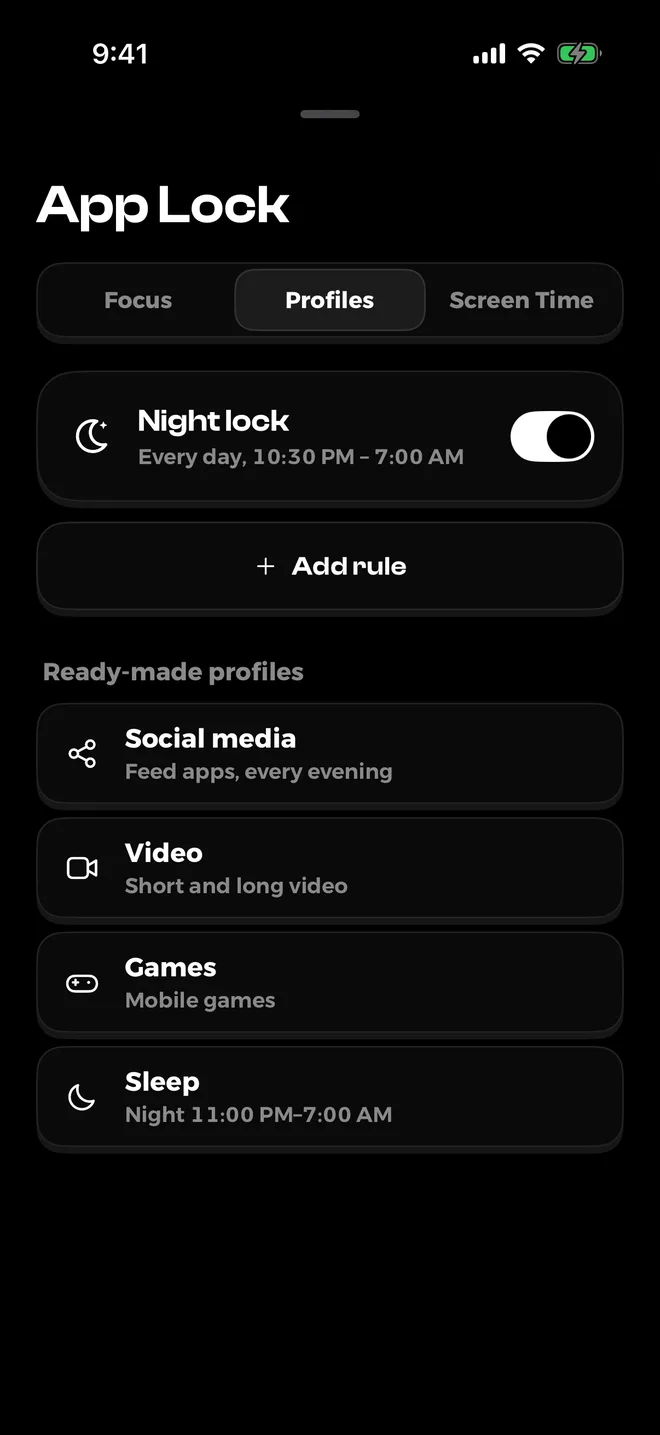
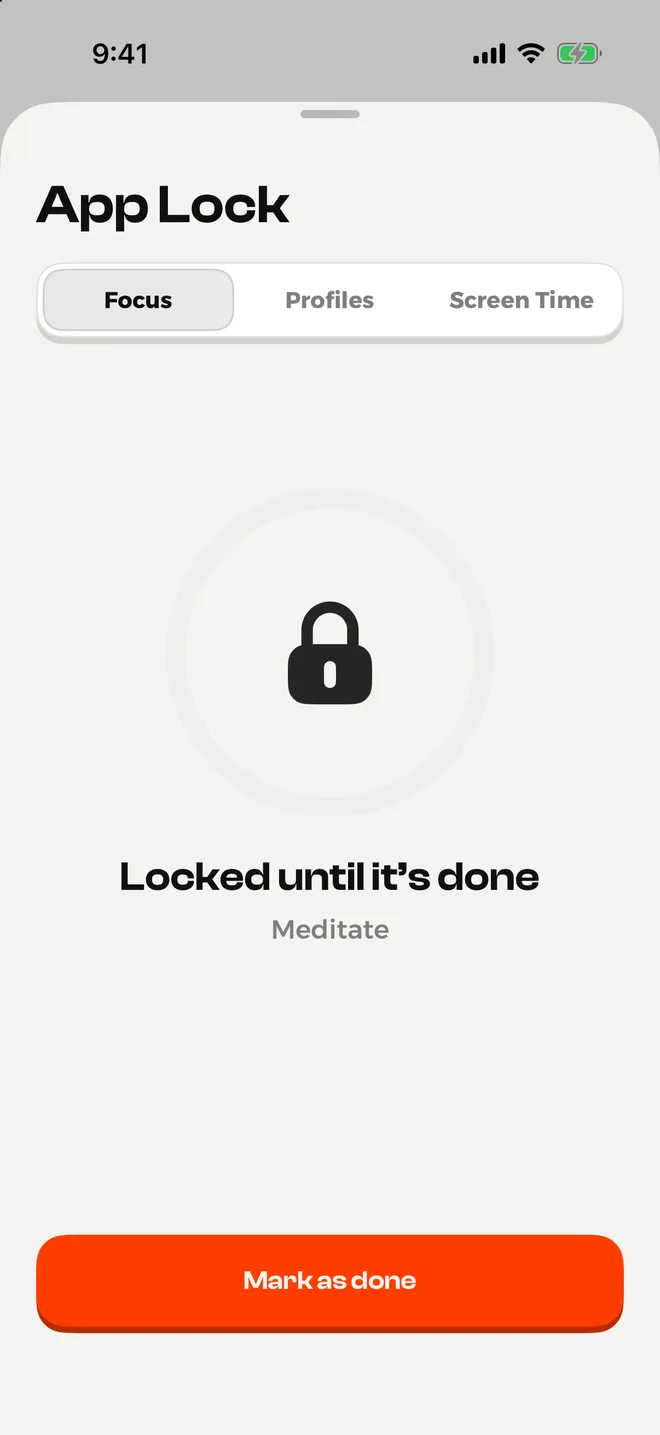
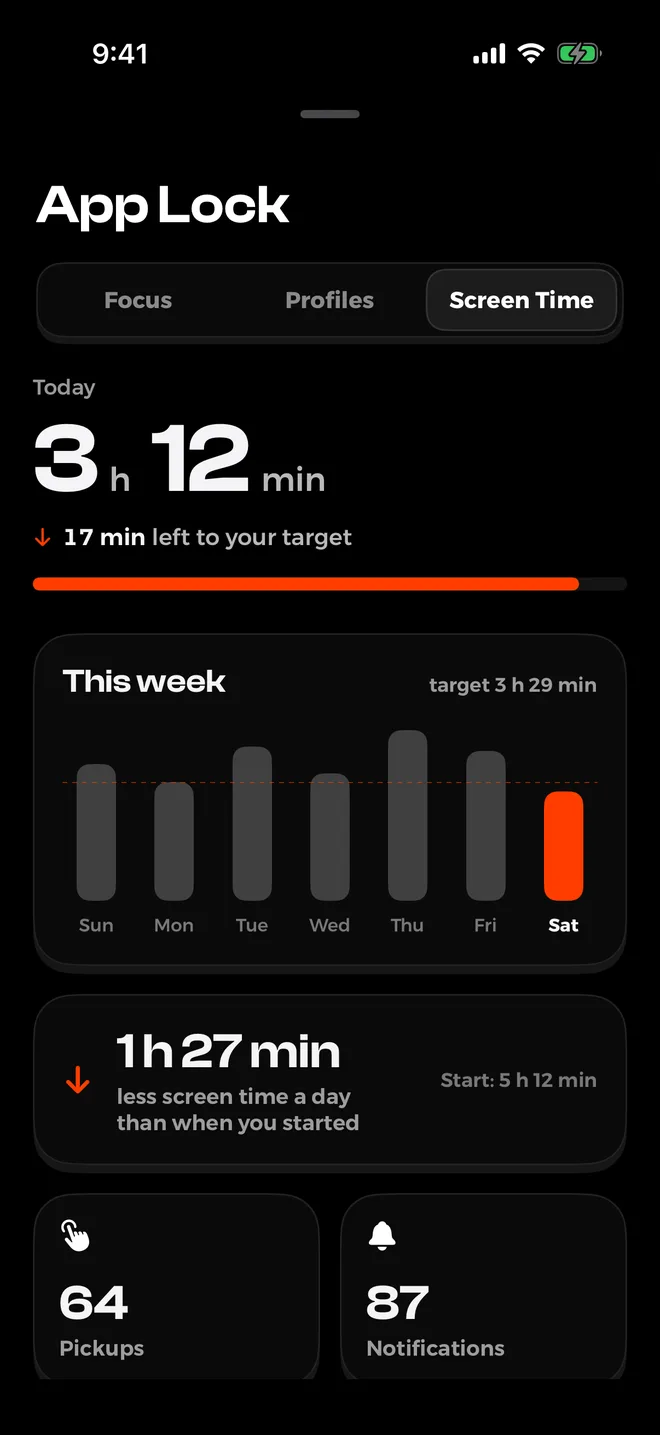
If that's you, an app lock adds a stop you can't skip as easily. NoMercy is the one we make, and it's built around four locks, all on top of Apple's Screen Time.
- Night lock. Set from your sleep and wake times, it closes the apps you pick every night. It's in the free version.
- Focus sessions. Lock chosen apps for as long as you like, for work or a quiet evening. Also free.
- "Until it's done" lock. Feeds stay closed until you finish a habit, like reading 10 pages or a walk. That's step 8 with a lock on it. The free version gives you 3 tries, Premium has it any time.
- Daily limits that tighten. In Premium, your daily limit for an app gets a little tighter each week, so you cut down without a cold-turkey crash.
Be honest with yourself about the limits. Like every Screen Time based blocker, NoMercy can be switched off if you remove its permission in Settings.
It supports willpower, it doesn't replace it.
Plans, Screen Time limits and the strict mode that won't let you end a lock early need Premium: $6.99 a month, $29.99 a year with a free trial, or $59.99 once. It needs iOS 18.6 or later. Learn more about NoMercy or get it on the App Store.
If you'd rather not block anything, make the phone less inviting instead. TYST, our other app, turns the Home Screen into one quiet page of text, so there are no bright icons asking to be tapped.
What to do instead of doomscrolling
Staying informed is fine. The goal is to read the news on purpose, not by reflex.
Pick one or two set times a day, use a source that ends, like a newsletter or a daily briefing, and stop when it's done. Keep a book, a notebook or a puzzle where your phone used to sit.
If evenings are the hard part, start there. Our guide to a morning routine without your phone covers the other end of the day, and how to reduce screen time on iPhone goes deeper on every Screen Time setting. If you're comparing blockers, see the best Opal alternatives.
Sources
- Brief exposure to social media during the COVID-19 pandemic: Doom-scrolling has negative emotional consequences, but kindness-scrolling does not, Buchanan et al., PLoS ONE, 2021
- Caught in a Dangerous World: Problematic News Consumption and Its Relationship to Mental and Physical Ill-Being, McLaughlin, Gotlieb and Mills, Health Communication, 2022 (news release)
- Doomscrolling evokes existential anxiety and fosters pessimism about human nature? Shabahang et al., Computers in Human Behavior Reports, 2024
- No More FOMO: Limiting Social Media Decreases Loneliness and Depression, Hunt et al., Journal of Social and Clinical Psychology, 2018 (Penn Today)
- Batching smartphone notifications can improve well-being, Fitz et al., Computers in Human Behavior, 2019
- True colors: Grayscale setting reduces screen time in college students, Holte and Ferraro, The Social Science Journal, 2020
- Directing smartphone use through the self-nudge app one sec, Grüning, Riedel and Lorenz-Spreen, PNAS, 2023
- Set Screen Time Schedules and Time Allowances on iPhone, Apple Support, 2026
- Change display colors on iPhone, Apple Support, 2026
- Change notification settings on iPhone, Apple Support, 2026
- Doomscrolling, Merriam-Webster
Questions
What is doomscrolling?
Doomscrolling is scrolling through bad or upsetting news and posts, often long after it stops being useful. The word took off in 2020 and is now in the Merriam-Webster dictionary.
Is doomscrolling bad for your mental health?
Studies link it with worse mood and more anxiety. In one experiment, just 2 to 4 minutes of bad news on a social feed lowered people's mood right away. Most studies are short or correlational, so the effect over years is less clear.
Does grayscale really reduce screen time?
It can. In a 2020 study, college students with grayscale phones spent about 38 fewer minutes a day on their phones, mostly on social media and browsing. Later studies have found smaller effects, so treat it as one helpful step, not a cure.
How do I stop doomscrolling at night?
Set a Screen Time Schedule that blocks feed apps before bed, charge your phone outside the bedroom, and use an app lock that runs every night. NoMercy's free night lock does this from your sleep and wake times.
What did Apple rename Downtime and App Limits to?
In iOS 27, Downtime became Screen Time Schedule and App Limits became Time Allowances. You find both in Settings > Screen Time. On iOS 26 and earlier, the old names still apply.
How long does it take to break the doomscrolling habit?
There's no fixed number of days. In a six-week study of the one sec app, people tried to open their target apps 37% less often by week six than in week one, so expect weeks, not days.