 Souva
Full disclosure: Souva makes TYST, the first app on this list. We kept the rest of the list fair: each app below is the better pick for someone, and we say who. Features and prices come from each app's US App Store listing and official website on 21 November 2026. They can change.
The best dumbphone app for iPhone depends on what you want. TYST gives you a calm, text-only Home Screen for $4.99 once, with no subscription. Dumb Phone (dp) is the pick if you also want to hide and block apps. Blank Spaces suits people who want a launcher and app locks in one subscription.
A dumbphone app for iPhone can't turn your phone into a flip phone. What it can do is swap a wall of colorful icons for a short list of words, so unlocking your phone stops pulling you into five apps you didn't mean to open. This guide compares six minimalist launcher apps for iPhone that still get updates in 2026, and explains what iOS does and doesn't allow.
The short answer
- TYST: best for a quiet, text-only look without a subscription.
- Dumb Phone (dp): best if you also want to hide and block apps with Screen Time.
- Blank Spaces: best for a launcher with app locks you unlock by breathing or push-ups.
- minimalist phone: best for a pause before every distracting app.
- Minimalist Launcher: best for small extras like weather, time progress and badge dots.
- Dumb Phone: Launcher & Themes: best for gentle rules, like a cap on how often an app opens.
What can a dumbphone app actually do on iPhone?
On Android, a launcher app can replace the whole Home Screen. On iPhone it can't. Apple doesn't offer a way for any app to take over the Home Screen, so every app on this list works the same basic way: you add its widgets to an empty Home Screen page, and each widget shows a list of app names. Tap a name and the app opens.
That has a few honest consequences:
- You do the setup by hand. You hide your other Home Screen pages, empty the Dock and place the widgets yourself. Apple's own steps for hiding pages are on its App Library support page. Good apps walk you through it in a few minutes.
- Your apps never disappear. App Library is always one swipe away, and Spotlight search still finds everything. A launcher changes what you see first, not what you can reach.
- Some apps open through Shortcuts. Not every app can be opened straight from a widget. Two developers on this list say in their App Store notes that some apps need Apple's Shortcuts app to open.
- Blocking is a separate feature. Apps that block or hide other apps do it through Apple's Screen Time permission. A widget on its own can't stop you from opening anything.
So think of a dumbphone app as a calmer front door.
If the front door is enough for you, a simple launcher is all you need. If you need a lock on the door, pick an app that blocks too, or pair a launcher with a separate app blocker. For the full walk-through with Apple's built-in settings, see how to turn your iPhone into a dumbphone.
How we picked
We searched the US App Store for dumbphone, minimalist launcher and minimalist home screen apps, then read each listing, its version history, its in-app prices and its official website. We kept apps that turn the Home Screen into a text list and were updated in 2026.
We left out apps last updated in 2024 and pure app blockers with no launcher. We didn't run long-term tests, so the notes below describe what each app offers, not how it felt after a month.
01
TYST Best for a quiet, text-only look
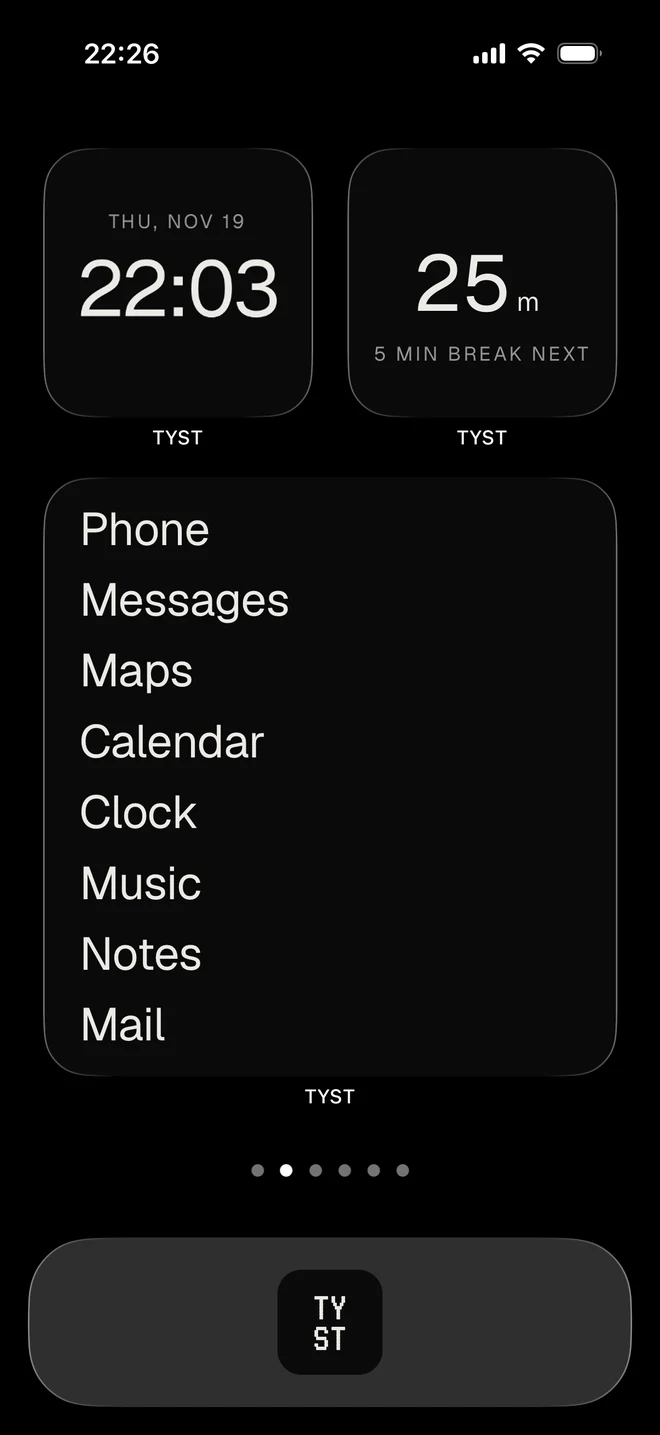
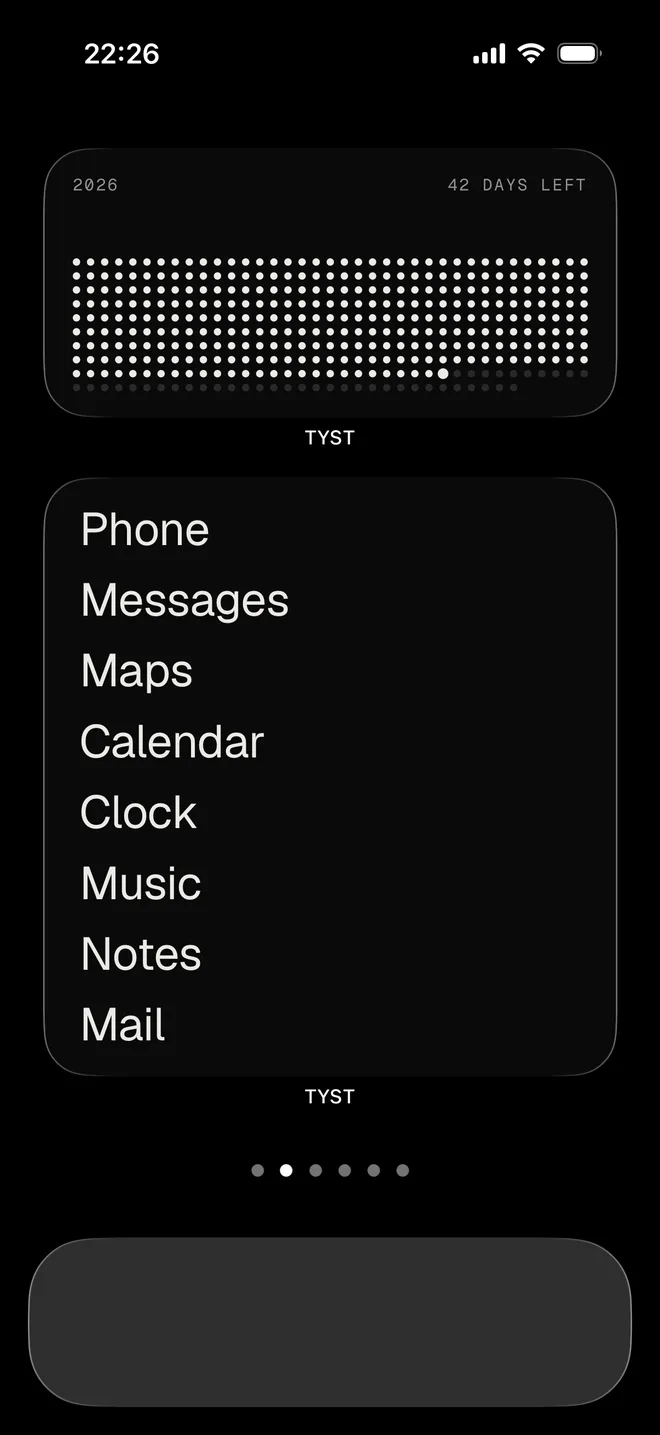
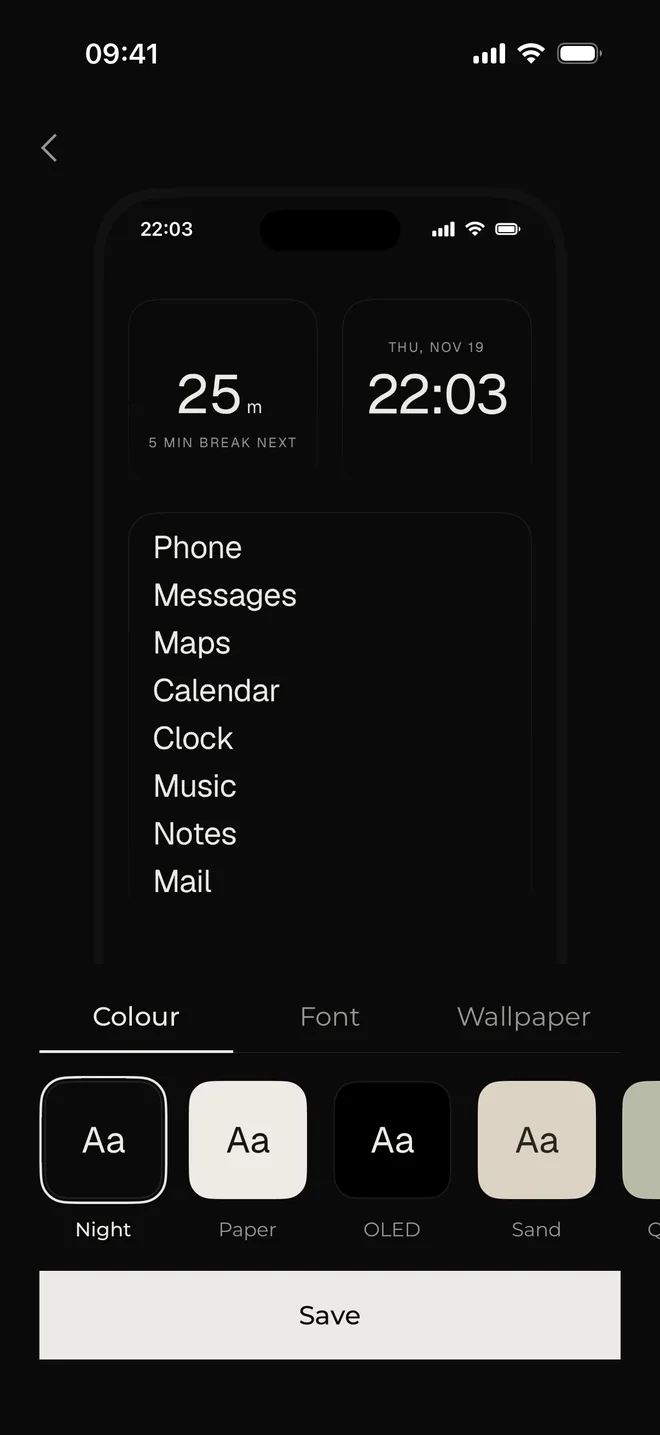
TYST turns your Home Screen into one quiet page of text. Your apps appear as a plain list of words in medium and large widgets, and you tap a name to open the app. Around the list you can place small, plain widgets: a clock, a focus timer, notes, a to-do list and one daily habit.
Why it stands out
- One payment: the full version, TYST Unlock, is $4.99 once. No subscription.
- Nine color themes (Night, Paper, OLED, Sand, Quartz, Brick, Lilac, Phosphor, Amber) and eight fonts, from Grotesk and Serif to Typewriter and Pixel, each with a matching wallpaper and app icon.
- Profiles: one list of apps for work and another for the evening.
- Useful widgets in the same style: Clock, LCD clock, Year in dots, Weather, Notes, To-do, "Did you today" for one small daily habit, and a Focus timer with breaks, rounds and a Live Activity. There is a matching Lock Screen widget too.
- A guided five-minute setup that hides your other pages, empties the Dock and adds the widgets.
- The free version is usable on its own: Night and Paper themes, the Grotesk font, the Home profile and all widgets.
Keep in mind
- TYST doesn't block apps and doesn't read Screen Time data. It makes the phone calmer; it won't stop you from opening an app through Search or App Library.
- It changes how the Home Screen looks, nothing more. If you need hard limits, you need a second app.
- iPhone only, and it needs iOS 17 or later.
- More themes, fonts and profiles need the $4.99 unlock.
Price: Free. TYST Unlock is $4.99 once.
See TYST on the App Store
02
Dumb Phone (dp) Best if you also want to hide and block apps
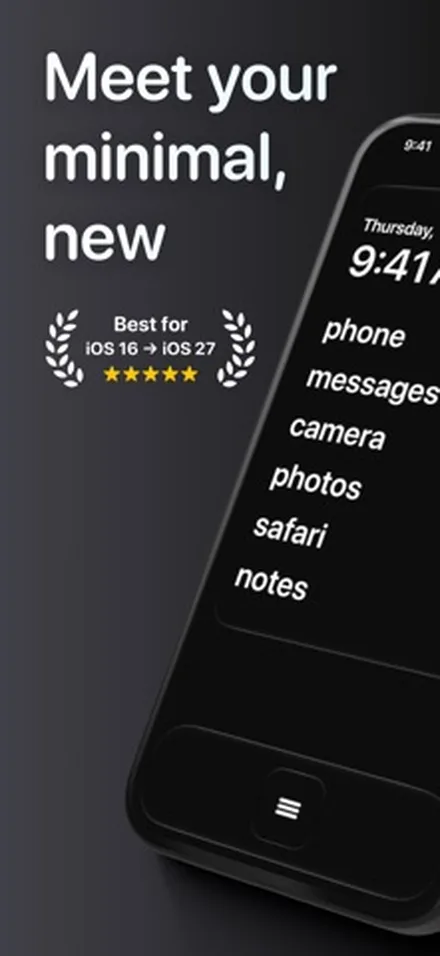
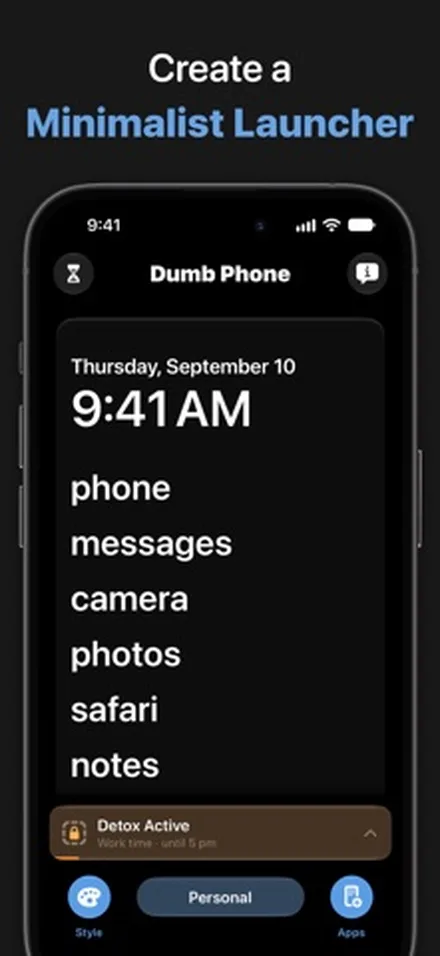
Dumb Phone, by Tigas Industries, replaces your icons with simple text buttons for your essential apps. Its Detox Mode goes further than a look: it uses Screen Time to block or hide the apps you choose, and recent versions add Detox schedules for apps and websites.
Why it stands out
- Detox Mode blocks or hides non-essential apps through Apple's Screen Time, with schedules for set times of day.
- Several launchers, for example work, leisure and night, and Control Center buttons to switch between them.
- Dark and light styles, and settings made for the newer Liquid Glass look of iOS.
- Runs on older phones too: it needs iOS 16.1 or later. It was updated on 19 November 2026.
Keep in mind
- The full experience needs Dumb Phone Pro, a subscription or a lifetime purchase.
- Its US listing shows several price tiers, so the price you see may differ from someone else's.
- Fewer fonts and visual styles than the more design-led apps on this list.
Price: Free to try. Dumb Phone Pro is listed from $2.99 to $5.99 a month, $9.99 to $19.99 a year, or $24.99 to $49.99 for lifetime.
See Dumb Phone (dp) on the App Store
03
Blank Spaces Best for a launcher with built-in locks
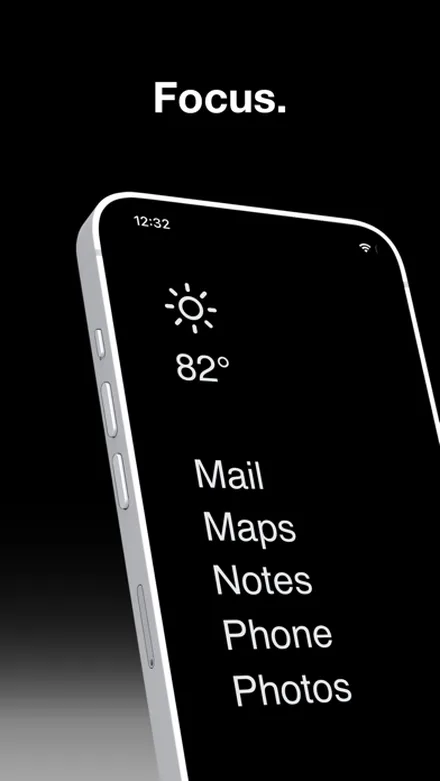
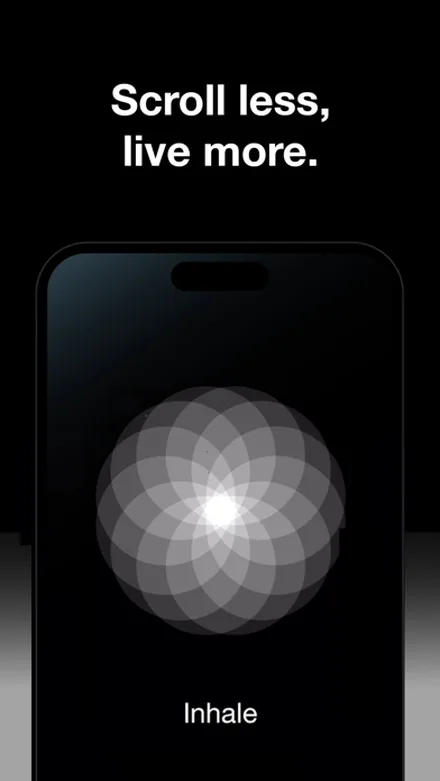
Blank Spaces is one of the older minimalist launchers for iPhone, first released in 2021. It shows your important apps as a clean text list with no icons or badges, and it can lock distracting apps on a schedule or with a time limit. To unlock, you do a breathing exercise, push-ups or a "touch grass" step.
Why it stands out
- Launcher and app locks in one app, with unlock steps that add real friction.
- Website locking and alerts that nudge you out of distracting apps (version 2.39).
- Themes, colors, wallpapers and large launcher widgets.
- The developer states on the listing that it collects no data.
Keep in mind
- Full access requires a subscription (monthly, annual or lifetime) after the trial.
- It needs iOS 18 or later.
- Some apps need a shortcut installed before they open from the launcher, according to user reviews on the listing.
Price: Subscription. US listing prices run from $1.99 a week and $3.99 to $7.99 a month to $17.99 to $24.99 a year, or $23.99 to $39.99 for lifetime.
See Blank Spaces on the App Store
04
minimalist phone Best for a pause before every distracting app
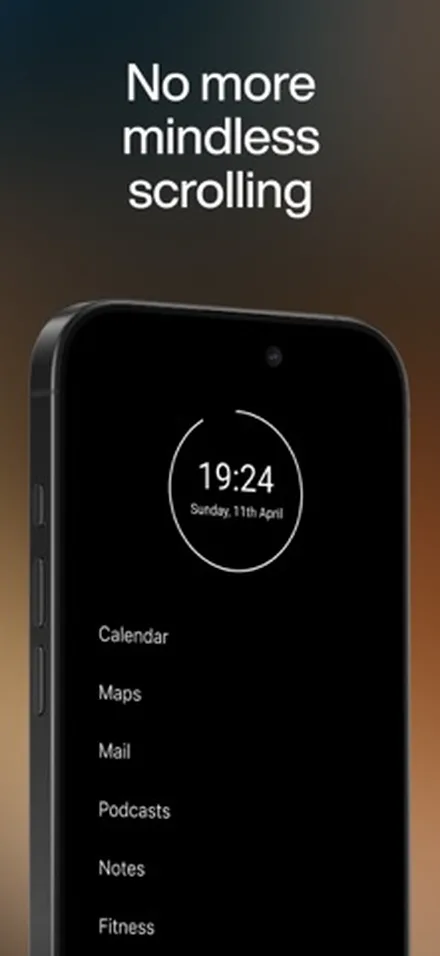
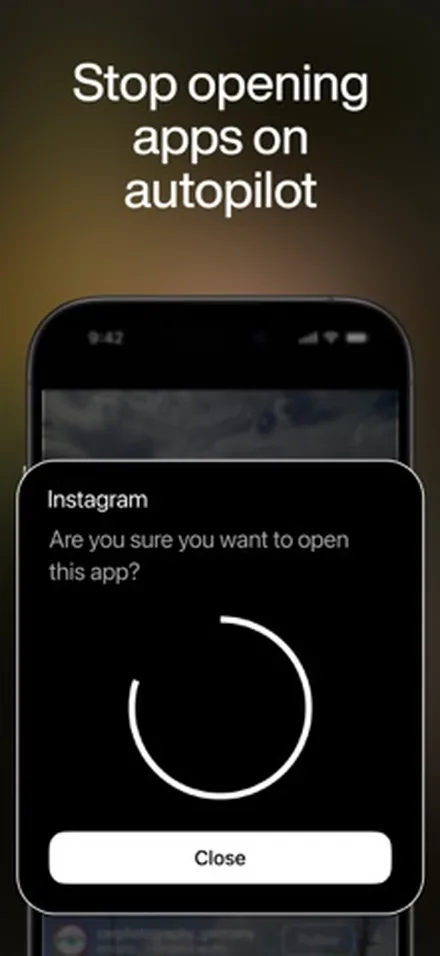
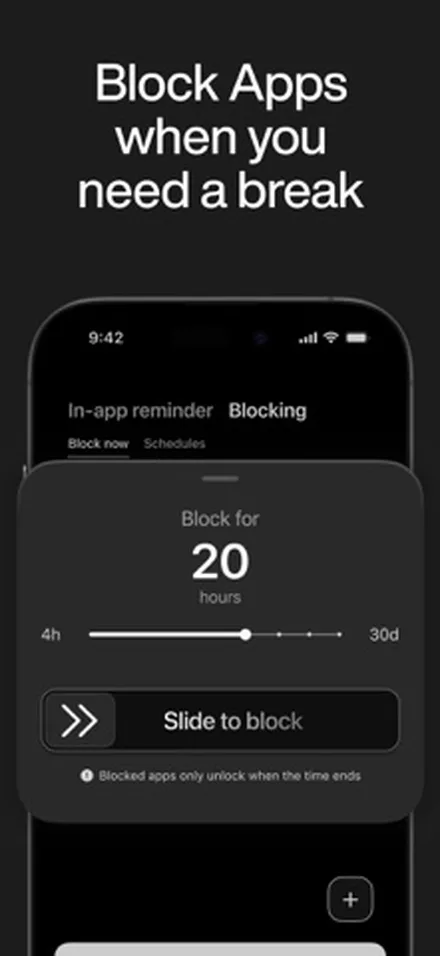
minimalist phone also makes an Android launcher; its iPhone app came out in November 2025. On iOS it gives you a text-based Home Screen built from widgets, plus a set of blocking tools. Its signature feature is a 15-second "mindful launch delay" before chosen apps open.
Why it stands out
- A launch delay, per-session time limits that push you out when time is up, app blocking and website blocking.
- Full-page widgets and a light theme for iOS 27 (version 1.9.2).
- You can rename apps on the Home Screen list.
- Also on Android, if you switch phones.
Keep in mind
- Its App Store privacy label lists data used to track you, including purchases, browsing history and identifiers.
- The developer notes in replies to reviews that some apps open directly and others need the Shortcuts app.
- Few visual options compared with TYST or Blank Spaces.
Price: 7-day free trial, then $2.99 to $4.99 a month or $9.99 to $19.99 a year. Lifetime is listed from $29.99 to $69.99.
See minimalist phone on the App Store
05
Minimalist Launcher Best for small extras around your app list
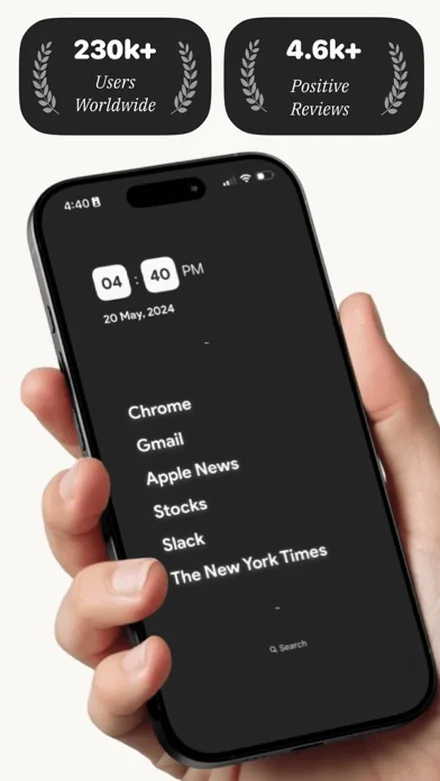
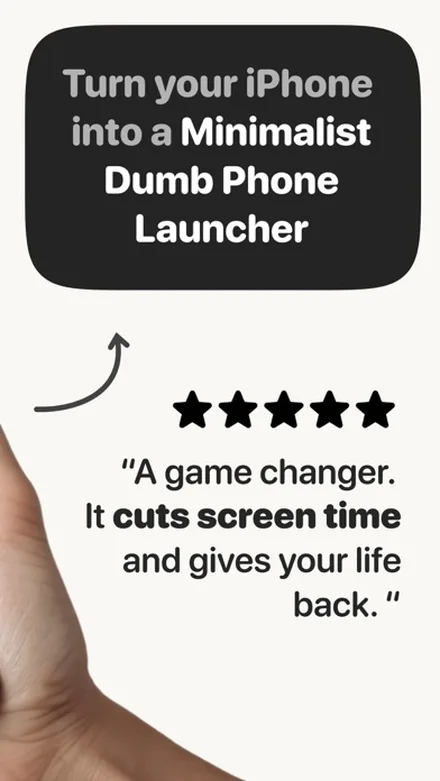
Minimalist Launcher, by an independent developer, builds a simple Home Screen of essential apps with a clock and a search link. Over 2026 it added weather widgets, time progress widgets and small badge dots that show when a new message or email arrives.
Why it stands out
- Notification badge dots on the widget, so you can leave most badges off but still see new messages.
- Weather, time progress and 12 or 24-hour clock widgets, with three alignment options.
- Digital Detox with overnight, multi-day and usage-based blocking, plus a Focused Browsing mode.
Keep in mind
- Launching any app from a widget uses iOS Shortcuts automations, which takes extra setup.
- The last update was on 29 July 2026, less recent than the others here.
- The listing says it collects no data, while its privacy label lists some data not linked to you, such as diagnostics.
Price: Free to start. Premium is listed from $5.99 to $44.99, including $7.99 a month and $19.99 a year.
See Minimalist Launcher on the App Store
06
Dumb Phone: Launcher & Themes Best for gentle rules
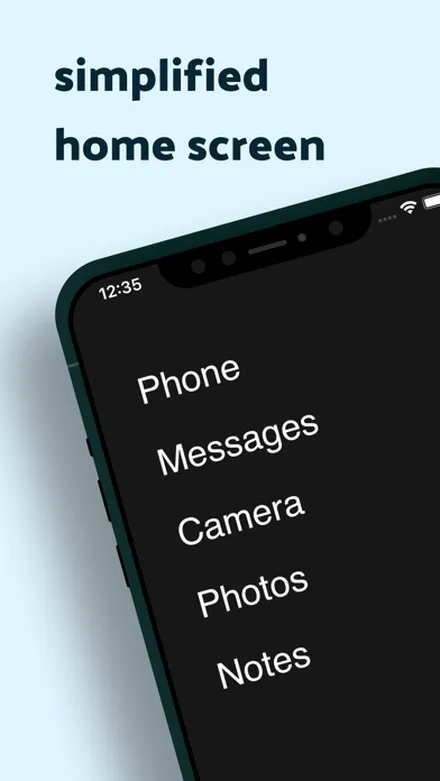
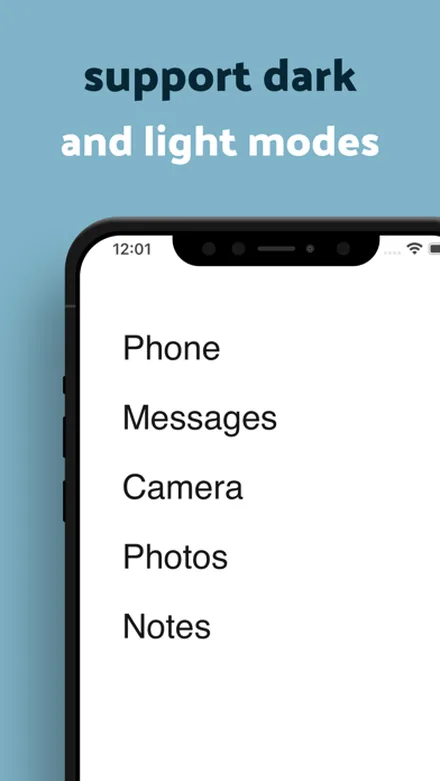
This Dumb Phone app, by developer Yevhen Tretiakov, is a different app from Dumb Phone (dp) above. It sets up a calm Home Screen with only the apps you pick and optional Date and Time, Weather or Health widgets. Its Rules lean soft: a pause, movement or a moment of reflection before an app opens.
Why it stands out
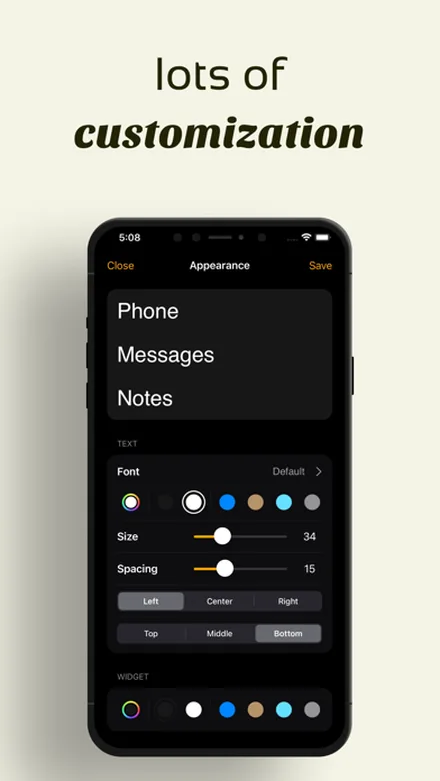
- Fine control over the text: font, color, size, spacing and alignment.
- Limits on how often an app can be opened, scheduled focus periods and blocking for a set time.
- Simple insights into screen time, app use and notifications.
Keep in mind
- Rules and unlimited themes need Pro. The lifetime option is the most expensive on this list at $79.99.
- Its version notes are generic, so it's hard to tell what changed in each update.
Price: Free to try. Pro is $1.99 a week, $4.99 a month, $14.99 a year or $79.99 lifetime.
See Dumb Phone: Launcher & Themes on the App StoreDumbphone apps for iPhone compared
| App | Blocks apps | Themes and fonts | Needs | Price (US) |
|---|---|---|---|---|
| TYST | No | 9 themes, 8 fonts | iOS 17 | Free, $4.99 once for all |
| Dumb Phone (dp) | Yes, Detox Mode | Dark and light | iOS 16.1 | Free to try, Pro from $2.99 a month |
| Blank Spaces | Yes, with unlock tasks | Themes, colors, wallpapers | iOS 18 | Subscription after trial |
| minimalist phone | Yes, plus launch delay | Dark and light | iOS 17 | Trial, then from $2.99 a month |
| Minimalist Launcher | Yes, Digital Detox | Widget styles | iOS 17 | Free, Premium $5.99 to $44.99 |
| Dumb Phone: Launcher & Themes | Yes, Rules (Pro) | Fonts, colors, spacing | iOS 17 | Free to try, Pro from $1.99 a week |
Which dumbphone app should you choose?
- You want your phone to look calm and you hate subscriptions: TYST. One page of text, a few quiet widgets, $4.99 once if you want every theme.
- You want to hide apps, not just tidy them: Dumb Phone (dp). Detox Mode hides and blocks apps through Screen Time and runs on a schedule.
- You need friction to stop opening Instagram: Blank Spaces or minimalist phone. A breathing exercise or a 15-second pause makes autopilot harder.
- You still want to see new messages at a glance: Minimalist Launcher, for its badge dots on the widget.
- You want soft limits and lots of text styling: Dumb Phone: Launcher & Themes.
If you like TYST's quiet look but also want certain apps locked, add NoMercy, our habit app with a built-in app lock.
TYST makes the phone calmer; NoMercy locks the apps you choose.
For more options, see our list of the best app blockers for iPhone.
Does a minimalist launcher on iPhone really help?
A launcher removes the cue, not the craving.
Colorful icons and red badges invite a tap every time you unlock, and a page of plain words simply invites less. That is the whole idea, and it is why many people pair a launcher with other steps: badges off, grayscale on, and a schedule for the apps they overuse.
It won't help if your problem is one app you open on purpose. Search and App Library are still there. In that case, a time limit or a lock does more than any Home Screen. Our guide on how to reduce screen time on iPhone covers the free Screen Time settings first.
How to set up a dumbphone Home Screen in five minutes
- Pick your apps. Write down the 6 to 10 apps you truly need: calls, messages, maps, camera, calendar, music. Everything else can live in App Library.
- Hide the extra pages. Touch and hold the Home Screen until the icons jiggle, tap the dots at the bottom, and remove the checkmarks under every page except one. Tap Done.
- Empty the Dock. Drag the Dock apps up onto the page, then remove them from the Home Screen. They stay in App Library.
- Add the launcher widget. Touch and hold the empty page, tap Edit, then Add Widget, and choose your launcher app's list widget in a medium or large size.
- Send new apps to App Library. Go to Settings › Home Screen & App Library and choose App Library Only, so new downloads don't refill your page.
For more layouts, from a single page of text to Focus pages for work and evening, read how to make a minimalist iPhone Home Screen.
Sources
- Dumb Phone (dp), App Store listing and version history, Tigas Industries, checked November 2026
- Dumb Phone official website, Tigas Industries, 2026
- Blank Spaces Launcher, App Store listing and version history, Ecstasis LLC, checked November 2026
- Blank Spaces official website, Ecstasis LLC, 2026
- minimalist phone, App Store listing and privacy label, Hachi Media OU, checked November 2026
- minimalist phone for iOS, official website, 2026
- Minimalist Launcher, App Store listing and version history, Ankit Kumar, checked November 2026
- Dumb Phone: Launcher & Themes, App Store listing, Yevhen Tretiakov, checked November 2026
- Dumb Phone: Launcher & Themes official website, 2026
- Add, edit, and remove widgets on iPhone, Apple Support, iOS 27
- Find and use your apps in App Library on iPhone, Apple Support, iOS 27
Questions
Can you install a real launcher on iPhone?
No. Apple doesn't let any app replace the iPhone Home Screen. Every minimalist launcher on iOS works through widgets that you place on the Home Screen yourself, and tapping a name in the widget opens that app.
Is there a free dumbphone app for iPhone?
Several are free to start. TYST is free with the Night and Paper themes, one font, the Home profile and all widgets; the full version is $4.99 once. Dumb Phone (dp) and Dumb Phone: Launcher & Themes are free to try, with Pro plans. Blank Spaces needs a subscription after its trial.
Do dumbphone apps block apps on iPhone?
Some do. Dumb Phone (dp), Blank Spaces, minimalist phone, Minimalist Launcher and Dumb Phone: Launcher & Themes add app blocking with Apple's Screen Time. TYST doesn't block apps; it pairs with NoMercy if you want locks.
Can I hide the App Library on iPhone?
No. App Library is always one swipe past your last Home Screen page, and Spotlight search still finds every app. A launcher only changes what you see first.
Which dumbphone app for iPhone has no subscription?
TYST. Its full version is a single $4.99 purchase. The other apps on this list sell weekly, monthly or yearly plans, though several also offer a lifetime purchase, listed from $9.99 to $79.99 in the US.
Can I undo a dumbphone setup?
Yes. Remove the widgets, show your hidden Home Screen pages again and put apps back in the Dock. Nothing is deleted; your apps stay in the App Library the whole time.