 Souva
Full disclosure: Souva makes NoMercy, the first app on this list. We kept the rest of the list honest: each app below is the better pick for someone, and we say who. Prices and features come from each app's US App Store page and official site, checked on 21 November 2026. They can change.
The best habit tracker app for iPhone depends on what breaks your habits. If it's your phone, NoMercy pairs habit plans with an app lock. Streaks is the best one-time purchase and the best on Apple Watch. HabitKit is the simplest visual tracker, Habitify logs habits for you, Finch makes self-care gentle, and Atoms teaches the Atomic Habits method.
What is the best habit tracker app for iPhone?
There isn't one best habit tracker for everyone. There is a best one for the way you fail.
Some people forget. Some people lose a streak and quit. Some people mean to read at 9 PM and open TikTok instead. Pick the app that fixes your problem.
- NoMercy: best if your phone is what breaks your habits. Habit plans with a built-in app lock.
- Streaks: best if you want to pay once, and best across Apple Watch, iPad and Mac.
- HabitKit: best for a simple, visual grid of your progress, free to start.
- Habitify: best for tracking that happens on its own, from Apple Health, Fitbit or Strava.
- Finch: best if a strict tracker makes you feel guilty. A gentle self-care pet.
- Atoms: best if you want to follow the Atomic Habits method.
How we picked these habit trackers
We started with the apps that show up again and again in 2026 roundups and in the App Store's habit category. Then we kept only apps that run on current iOS, were updated in 2026 and are clearly the best at one thing. Five of the six were updated in October or November 2026. Atoms had its last update in February 2026.
Everything below comes from each app's App Store listing, its in-app purchase prices and its official site, as of November 2026. We didn't invent test results or user numbers. We also left out star ratings, since NoMercy is new and that comparison wouldn't be fair either way.
One thing to know before you choose: habits take longer than the "21 days" you often hear.
In a study of 96 people, the median time for a new daily habit to feel automatic was 66 days. The range ran from 18 to 254 days, and missing a single day did not hurt the process.
Lally et al., European Journal of Social Psychology, 2010So a good tracker should keep you going for two months or more, and it shouldn't punish one bad day.
We cover the research in more detail in how long it takes to form a habit.

01
NoMercy Best if your phone breaks your habits
Most habit trackers count what you did. NoMercy also takes away what stops you.
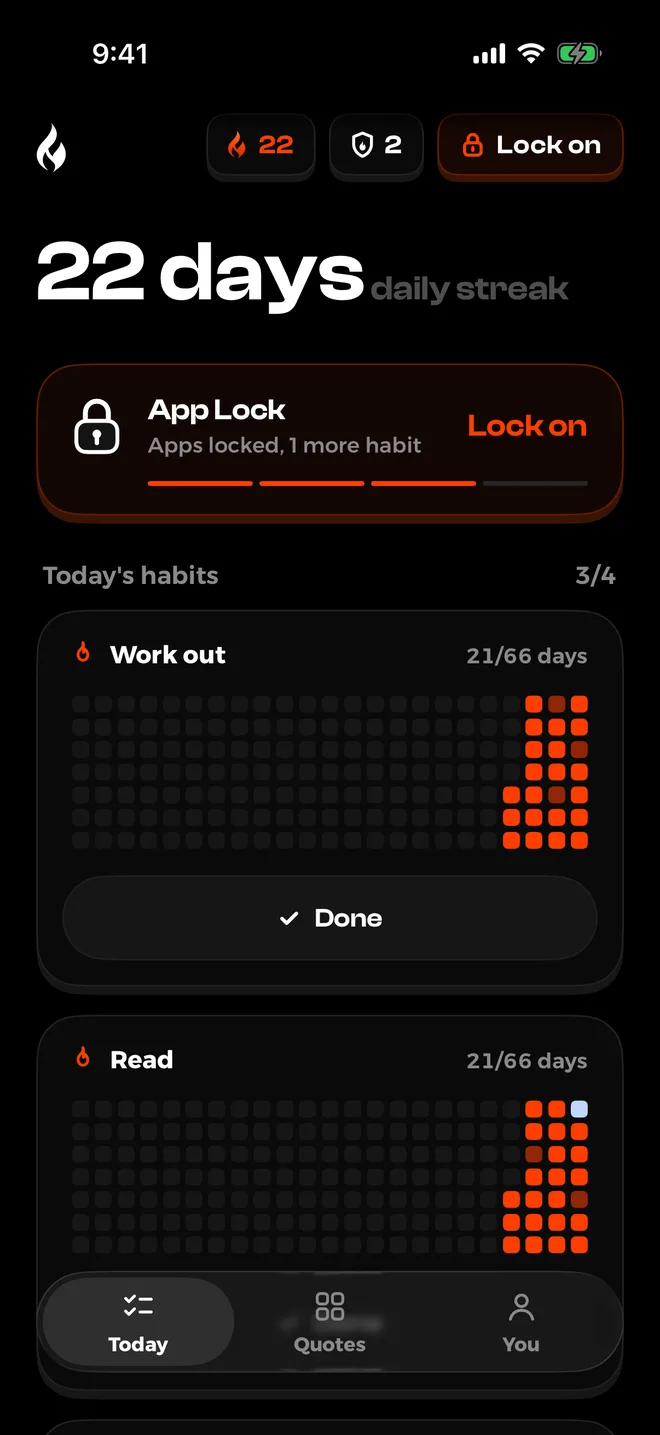
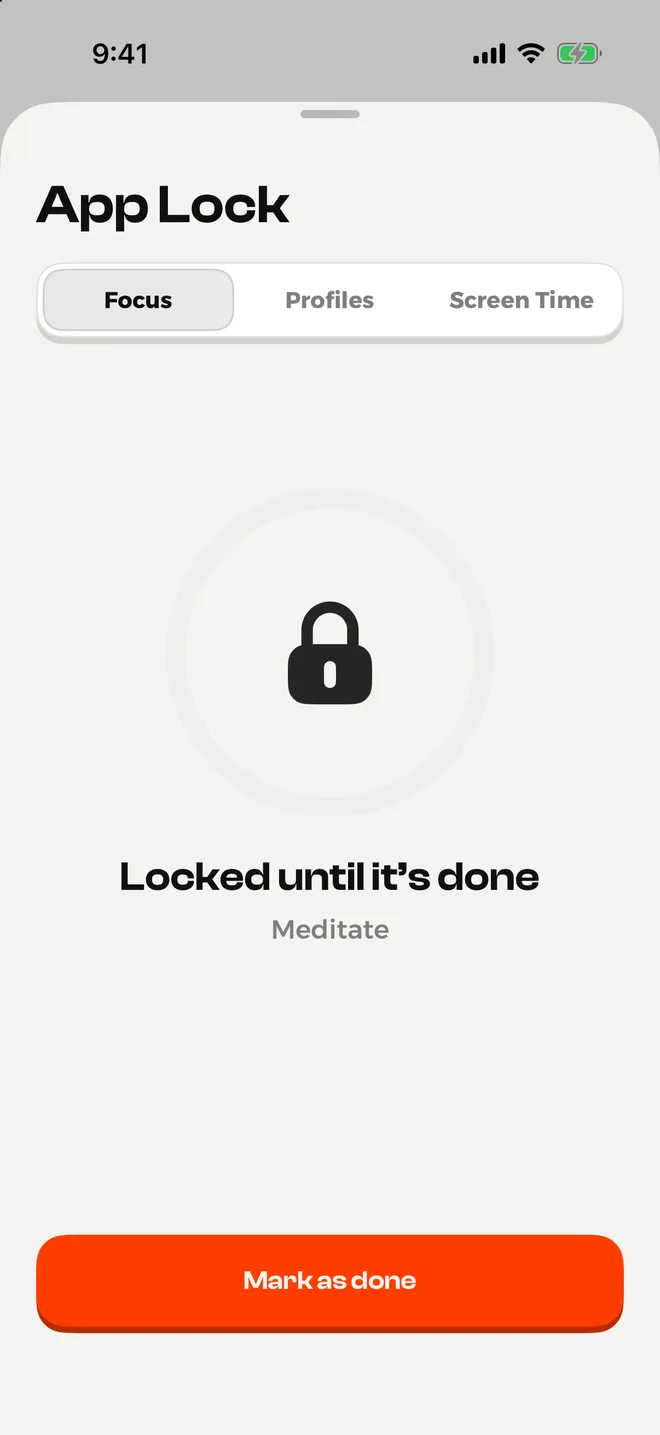
Tell it when you wake up, when you go to sleep and what you want to change, and it suggests a plan of 14, 21, 30 or 66 days. Then pick the apps that eat your day, and its App Lock blocks them with Apple's Screen Time.
Why it stands out
- Habits and app blocking in one app, so you don't need a second app just to block distractions.
- The "Until it's done" lock keeps your chosen apps closed until you finish a habit.
- A night lock, focus sessions, scheduled lock profiles and daily time limits that get a little tighter each week.
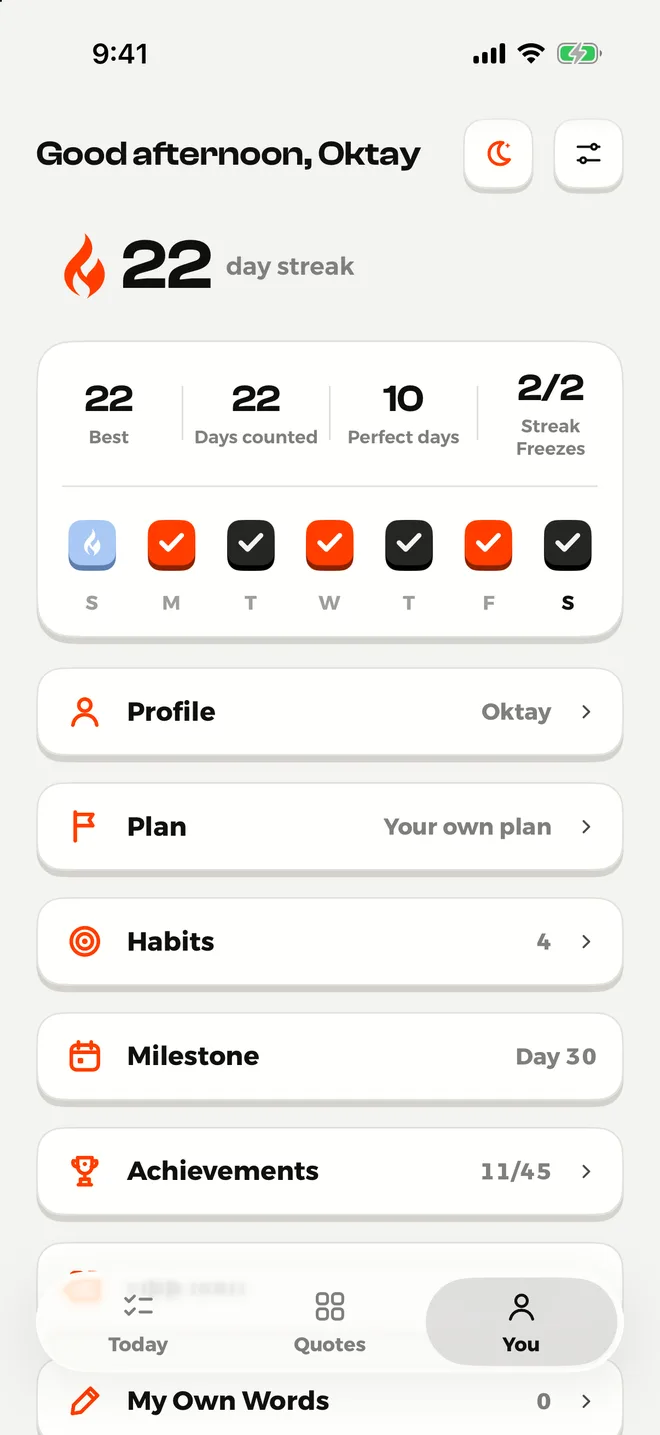
- Plans that add new habits as you go, so your routine grows step by step: Sleep First, Morning First, Move First, Phone Reset, Focus Hours, Evenings Together, or your own.
- Forgiving streaks. A day counts when you finish half of today's habits, 2 Streak Freezes a week cover a missed day, and you can pause for up to 30 days.
- A weekly recap of the screen time you won back since you started.
- No account, no ads and no tracking. Your habits stay on your device.
Keep in mind
- Plans and the full app lock need Premium. The free version gives you 3 of your own habits, the night lock, focus sessions and 3 tries of the "Until it's done" lock.
- There is no sync between devices, and no Apple Watch or Mac app.
- It needs iOS 18.6 or later.
- It's the newest app here, so it has fewer reviews than the others.
- Like every Screen Time based blocker, you can switch its access off in Settings. It backs up your willpower; it doesn't replace it.
Price: free to download. Premium is $3.99 a week, $6.99 a month or $29.99 a year with a free trial, or $59.99 once for lifetime access.
Get NoMercy on the App Store
02
Streaks Best if you want to pay once
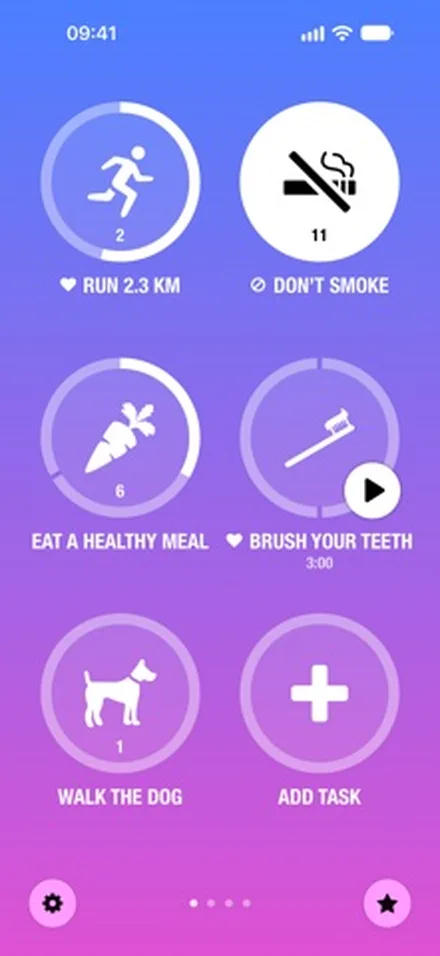
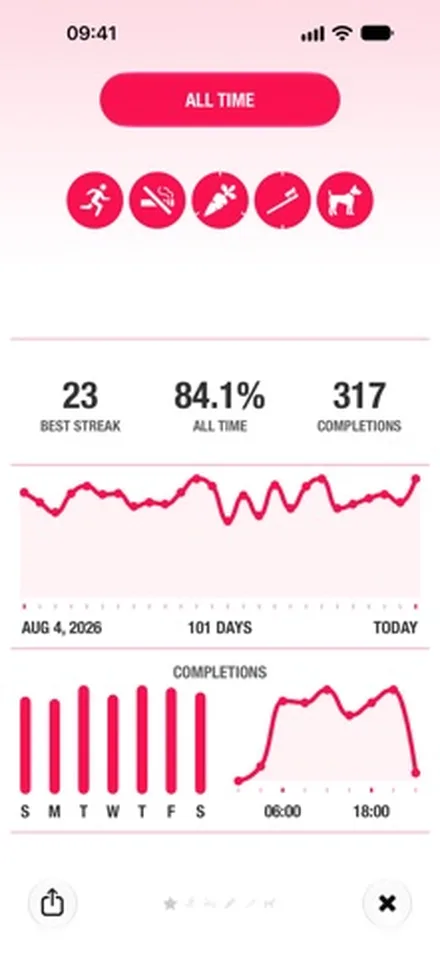
Streaks is the classic iPhone habit tracker and an Apple Design Award winner. Each habit is a big round button you tap to complete. You choose up to 24 habits and build a chain of days in a row, and it feels at home on every Apple device.
Why it stands out
- One payment of $5.99. No subscription and no in-app purchases.
- Works on iPhone, iPad, Apple Watch, Mac and Apple Vision Pro, synced through your own iCloud.
- Completes habits for you from more than 80 types of Apple Health data, like steps, workouts, sleep and water.
- Habits to break, timed habits with a Live Activity, and Screen Time habits that track how long you spend in apps.
- Share a habit with a friend who also uses Streaks.
- No account, no ads and no tracking. Family Sharing is supported.
Keep in mind
- Up to 24 habits, on four pages of six.
- No plans or lessons. You decide every habit and schedule yourself.
- It measures time in apps, but it doesn't lock them.
- There's no free version to try first.
Price: $5.99 once. Needs iOS 17.6 or later.
See Streaks on the App Store
03
HabitKit Best for a visual grid of your progress
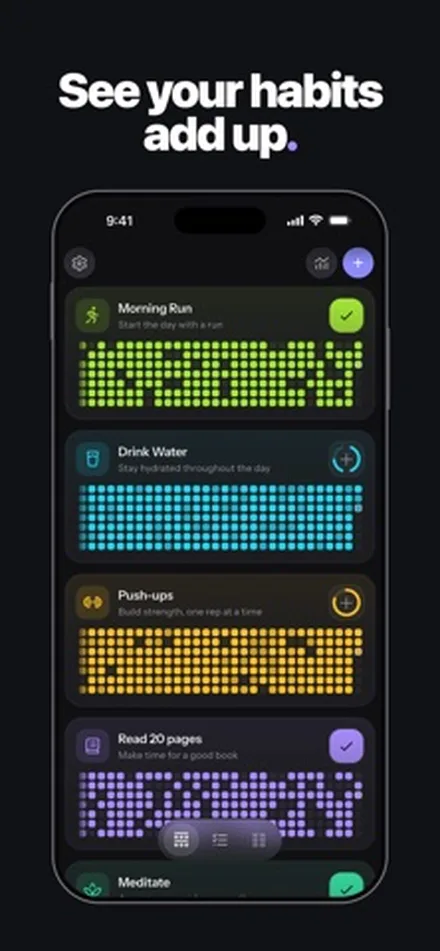
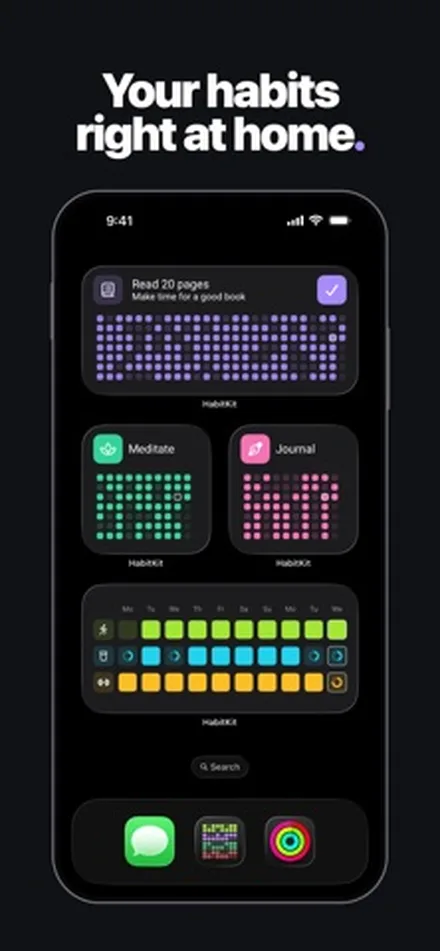
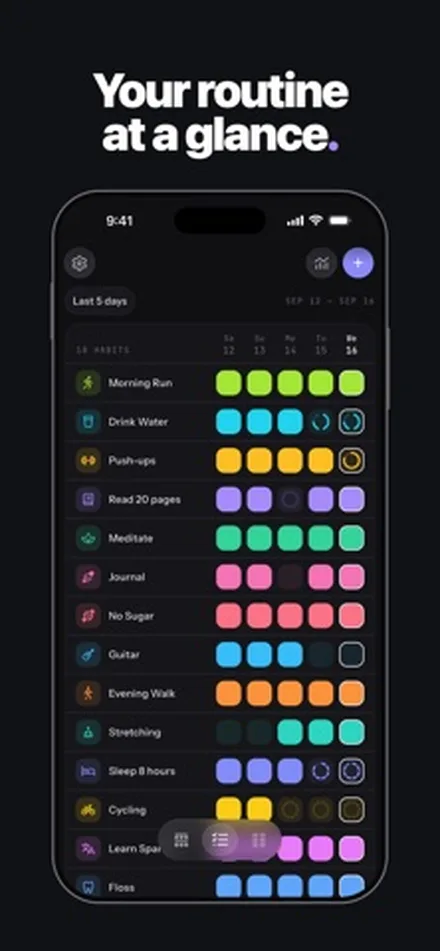
HabitKit turns every habit into a grid of tiles, one square for each day you show up, much like a contribution graph. It's simple, private and quick to log. For many people, watching the grid fill in is reason enough to keep going.
Why it stands out
- A clear tile grid for every habit, with Classic, Compact and Split views of all your habits.
- Habits to quit, with a streak of clean days, or a daily maximum such as two coffees a day.
- Check a day off, count reps or measure amounts in your own units, like liters of water or kilometers run.
- A useful free tier: streaks, the calendar, notes, reminders and backups.
- No account, no ads, works offline. Runs on iOS 15 or later, so older iPhones are fine.
Keep in mind
- The free version covers only a few habits. Unlimited habits, charts and Home Screen widgets need HabitKit Pro.
- No app blocking and no guided plans.
Price: free to download. HabitKit Pro is $1.99 a month, $11.99 a year or $29.99 once for lifetime. The App Store also lists other Pro offers.
See HabitKit on the App Store
04
Habitify Best for tracking that happens on its own
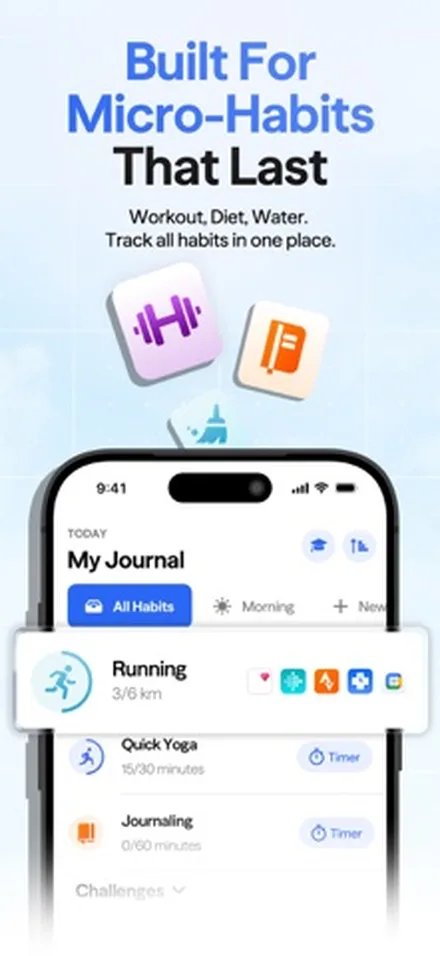
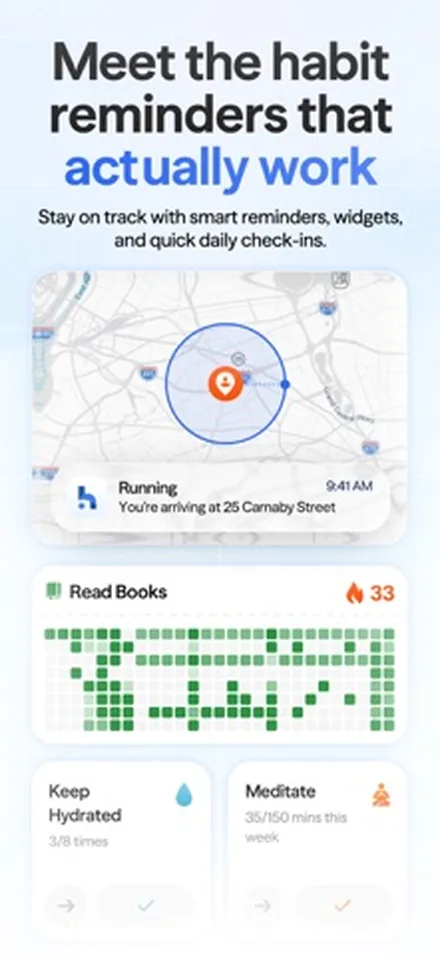
Habitify has been around since 2016 and, by its own count, has helped more than 3 million people. Its strength is logging habits without you opening the app: walk, run, sleep or read, and the progress fills in from the apps you already use.
Why it stands out
- Logs progress from Apple Health, Google Health, Fitbit, Strava, Screen Time and RescueTime.
- Works with Siri and AI assistants, so you can log a habit or ask about your progress by chatting.
- Notes, mood tracking, a built-in timer and friendly challenges.
- Mark a habit as done, skipped or missed, and pause it when life changes.
- Syncs across iPhone, iPad, Mac and Apple Watch, and it has an Android app too.
Keep in mind
- The most expensive app on this list if you buy Pro.
- The free tier is limited. Unlimited habits need Plus, and the automatic Apple Health tracking needs Pro.
- It can track your screen time, but it doesn't lock apps.
Price: free to start. Habitify Plus is $29.99 a year. Habitify Pro is $8.99 a month, $49.99 a year or $119.99 for lifetime access, with a 7-day free trial.
See Habitify on the App Store
05
Finch Best if strict trackers make you feel guilty
Finch is a self-care pet. You set small goals, check them off, and your little bird grows and goes on adventures. It's the softest app on this list: it's built for people who give up on a tracker the moment it starts to feel like a chore.
Why it stands out
- Goals feel like caring for a pet, not like keeping score.
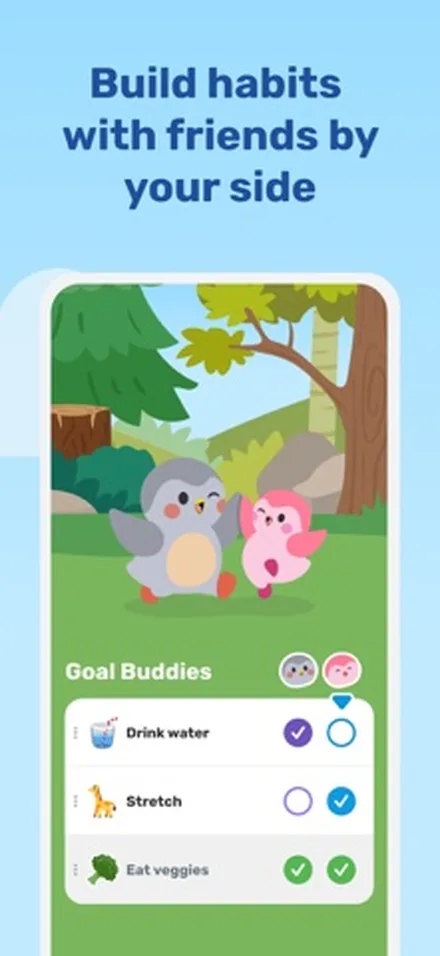
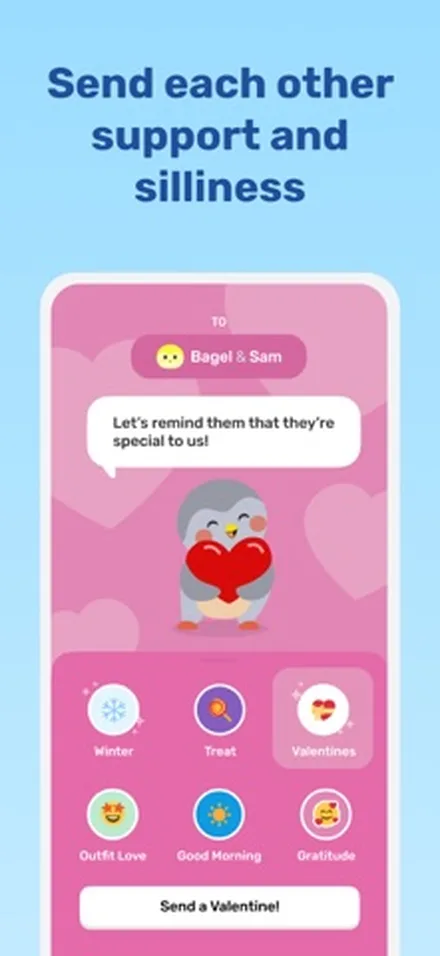
- Goal Buddies let you build habits with friends and send each other support.
- More than a tracker: mood check-ins, guided journaling, breathing exercises and sleep wind-downs.
- Free to use, and you can do a lot without paying.
Keep in mind
- It's a self-care app first. If you want clean stats and grids, a plain tracker suits you better.
- The cute style isn't for everyone.
- No app blocking.
Price: free to download. Finch Plus is optional; the US App Store lists Finch Plus options from $5.99 to $69.99, so check the price in the app before you start a trial.
See Finch on the App Store
06
Atoms Best if you follow Atomic Habits
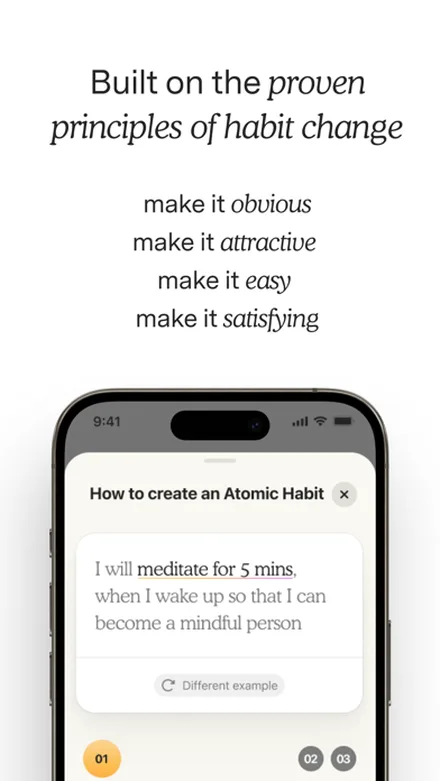
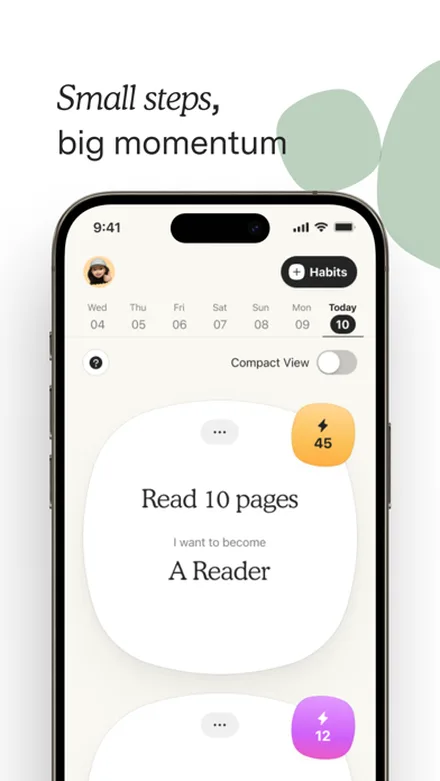
Atoms is the official app of Atomic Habits, the best-selling book by James Clear. It's part habit tracker, part short course. Each habit starts with who you want to become, then a small action tied to a time and place.
Why it stands out
- Bite-sized lessons and strategies from the book, right next to your habits.
- Guided habit setup: start small, pick a time and a place, and build from there.
- Designed to take about five minutes a day.
- Progress insights and an Apple Watch app.
Keep in mind
- It's built around one method. If you don't enjoy the book's approach, a plain tracker may suit you better.
- Its last update was in February 2026, longer ago than the other apps here.
- The listing doesn't spell out which features need Pro.
- No app blocking.
Price: free to download. Atoms Pro is $4.99 a month or $39.99 a year.
See Atoms on the App StoreHabit tracker apps compared
Here are the six side by side, as of November 2026. "Blocks apps" means the app can stop you opening other apps, not just measure your screen time.
| App | Best for | Price (US) | Blocks apps | Guidance | Apple Watch |
|---|---|---|---|---|---|
| NoMercy | When your phone breaks your habits | Free; Premium $29.99 a year or $59.99 once | Yes | Plans of 14 to 66 days | No |
| Streaks | Paying once, every Apple device | $5.99 once | No | No | Yes |
| HabitKit | A visual grid | Free; Pro $11.99 a year or $29.99 once | No | No | No |
| Habitify | Automatic tracking | Free; Pro $49.99 a year or $119.99 once | No | No | Yes |
| Finch | Gentle self-care | Free; Finch Plus optional | No | Self-care exercises | No |
| Atoms | The Atomic Habits method | Free; Pro $39.99 a year | No | Lessons and guided setup | Yes |
Apple Watch support is based on what each App Store listing says. HabitKit and Finch don't mention a watch app in their listings.
Which habit tracker should you choose?
- Your phone eats the time your habits need: start with NoMercy. It plans the habits and locks the apps that get in the way. If you'd rather keep your tracker and add a blocker, see our list of the best app blockers for iPhone.
- You want a great tracker and hate subscriptions: get Streaks for $5.99, especially if you wear an Apple Watch.
- You love seeing your days fill in: HabitKit. Try the free tier first.
- You already track runs, steps or sleep: Habitify, so those habits log themselves.
- You quit trackers when you miss a day: Finch, because caring for a pet feels kinder than a broken streak.
- You loved the book Atomic Habits: Atoms, which turns its ideas into daily steps.
How to make any habit tracker stick
The app matters less than how you set it up.
These steps work with all six apps above.
- Start with two or three habits. A short list you finish beats a long list you avoid. Add more once the first ones feel easy.
- Tie each habit to a time and place. "Read 10 pages in bed at 10 PM" is easier to repeat than "read more."
- Plan for missed days. Use streak freezes, skips or pauses if your app has them. One missed day doesn't undo a habit; quitting after it does.
- Remove the main distraction. If your evenings vanish into your phone, a lock on social apps at night does more than another reminder. Our guide on how to reduce screen time on iPhone starts with the free settings Apple already gives you.
- Give it two months. Judge the habit after 60 days or so, not after a week. Pairing it with a calm start to the day helps too; see our morning routine without your phone.
Want the habit plan and the app lock in one place? Learn more about NoMercy.
Sources
- NoMercy on the App Store, Souva, 2026
- Streaks on the App Store, Crunchy Bagel, 2026
- Habit Tracker HabitKit on the App Store, Sebastian Roehl, 2026
- Habitify on the App Store, Unstatic, 2026
- Finch: Self-Care Pet on the App Store, Finch Care, 2026
- Atoms from Atomic Habits on the App Store, Atomic Development, 2026
- HabitKit official site, 2026
- How are habits formed: Modelling habit formation in the real world, Lally et al., European Journal of Social Psychology, 2010
- Busting the 21 days habit formation myth, UCL Health Behaviour Research Centre, 2012
Questions
What is the best free habit tracker for iPhone?
HabitKit is the best pick if you want to stay free with a few habits, since its free tier keeps streaks, the calendar, notes and reminders. Finch is free to use for self-care goals. NoMercy is free for 3 of your own habits plus a night lock.
Can a habit tracker block apps on iPhone?
Most can't. NoMercy can: it uses Apple's Screen Time to lock the apps you choose for a focus session, on a schedule, with a daily limit or until you finish a habit. Streaks and Habitify can read Screen Time to track phone use, but they don't lock apps.
Which habit tracker works best with Apple Watch?
Streaks has a full Apple Watch app with complications and syncs with iPhone, iPad, Mac and Apple Vision Pro through iCloud. Habitify and Atoms also have Apple Watch apps.
Which habit tracker is cheapest in the long run?
Streaks costs $5.99 once, with no subscription. HabitKit Pro has a $29.99 lifetime option. NoMercy and Habitify also sell lifetime unlocks, at $59.99 and $119.99.
Do I need an account to use a habit tracker?
Not for NoMercy, Streaks or HabitKit. All three start without sign-up and keep your habits on your device, and Streaks syncs through your own iCloud.
Which habit tracker is best for Atomic Habits?
Atoms is the official Atomic Habits app. It pairs a habit tracker with short lessons from the book by James Clear and helps you set each habit to a time and place.
How long does it take to build a habit with an app?
Longer than 21 days for most people. In a 2010 University College London study, the median time for a daily habit to feel automatic was 66 days, with a range of 18 to 254 days.